
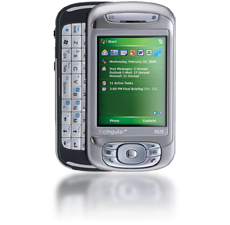
 Broadband power. Functionality. Ease. Get it all with your Cingular 8525! As the first UMTS/HSDPA-enabled PDA in North America, the Cingular 8525 will give you everything you need for true mobile productivity. Access a variety of applications, corporate data, and e-mail via the Cingular 3G network, WiFi, Bluetooth, or Infrared, or sit back and enjoy the multimedia features of Cingular’s newest Pocket PC.
Operating System: Windows Mobile 5.0 for Pocket PC Phone Edition
Processor: Samsung 400MHz
The normal downloads on the left bar should work for this phone. Please leave your experiences here or email support@oggsync.com.